Read your Home timeline
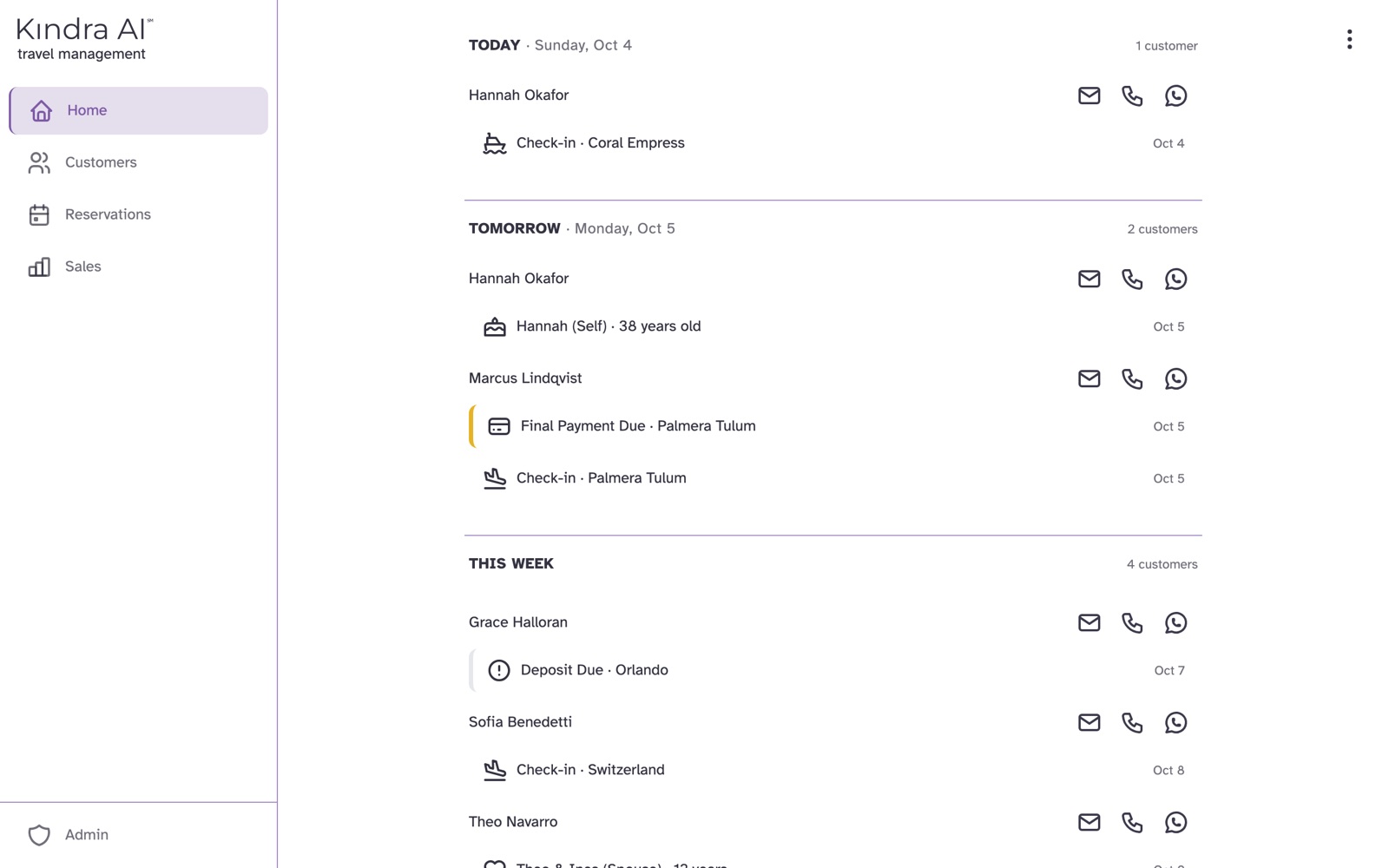
Home lists what needs your attention, soonest first. Overdue payments and reminders come first, then Today, Tomorrow, This Week, Next Week and Later. Select any item to open its reservation.
What Home shows
Home only shows your own reservations and customers. Cancelled reservations are left out.
| Group | Covers |
|---|---|
| Overdue card | Unpaid deposits and final payments past their due date, and reminders you have not dealt with |
| Today | Today |
| Tomorrow | Tomorrow |
| This Week | The 5 days after tomorrow |
| Next Week | The 7 days after that |
| Later | Up to 90 days from today, grouped by month |
What each label means
| Label | Meaning | Where it comes from |
|---|---|---|
| Deposit Due | A deposit is due and not yet marked paid | Deposit Due Date on the reservation |
| Final Payment Due | The final payment is due and the reservation is not paid in full | Final Payment Due Date on the reservation |
| Check-in | The customer's trip starts | Check-in on the reservation |
| Check-out | The customer's trip ends | Check-out on the reservation |
| Checked-in | The customer is traveling right now. Shown under Today only | Check-in and check-out dates |
| Reminder | A reminder you set | Reminders on the reservation |
| Birthday, Anniversary | A customer's celebration | Important Dates on the customer |
What you can do from Home
- Select an item to open its reservation. A birthday or anniversary opens the customer.
- Use the email, call and WhatsApp icons next to a customer's name to contact them. An icon is greyed out when that contact detail is missing.
If something goes wrong
Home says "Nothing today" or "Nothing scheduled"
No reservation has a date in that group. If you expected one, open the reservation and check its Check-in, Check-out and due dates. See Add a reservation.
A deposit still shows as due after the customer paid
Open the reservation and select Mark Deposit Paid.
Still stuck?
Email support@kindra.ai with what you were trying to do and what happened instead. A person answers.