Sales, Earned, Owed and Paid
The four tabs under Sales answer four questions. Sales is what you sold. Earned is your commission by checkout date. Owed is commission not yet paid to you. Paid is what your agency has paid you.
The four tabs
| Tab | Question it answers | Counts |
|---|---|---|
| Sales | How much did I sell? | Total cost of your active and completed reservations, by Book Date or Checkout |
| Earned | What commission did my trips earn? | Your commission by checkout date. Not a forecast of when or how much you'll be paid |
| Owed | What has my agency not paid me yet? | Unpaid commissions for completed reservations |
| Paid | What have I been paid? | Commission payments received, by payment date |
Each tab shows one year. Use the arrows next to the year to change it. Amounts are shown per currency.
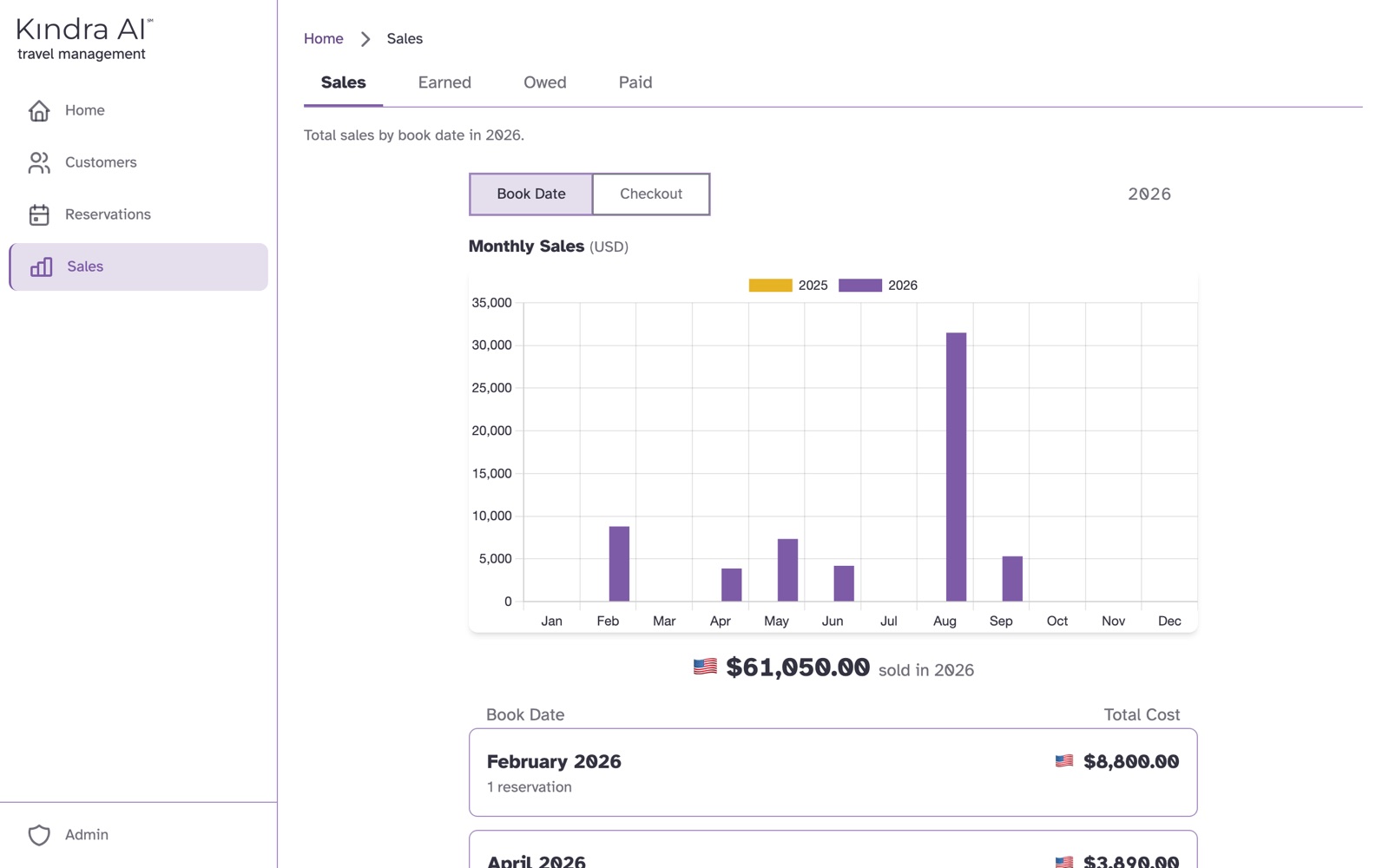
Sales
Switch between Book Date and Checkout to group by when you booked or when the customer travels. Select a month to see its reservations, and a reservation to open it.
Earned
A month total starting with ~ is an estimate: the month is in the future, or the supplier has not yet paid the commission on every reservation in it.
A reservation can carry one of these tags:
| Tag | Meaning |
|---|---|
| Upline | Override commission on another team member's booking |
| Recorded Late | A late entry penalty was applied |
| Personal Travel | Booked as agent personal travel |
| Agency Travel | Booked as agency travel |
On-hold and cancelled reservations are not included.
Owed
Each currency shows Expected and Payable, and opens into:
- PAYABLE: commission ready to be paid to you.
- PENDING: commission for completed trips that is not ready to be paid yet.
- ADJUSTMENTS: other amounts your agency added or deducted.
Paid
Each card is one payment date. Select it to see every reservation, service charge bonus and adjustment in that payment.
If something goes wrong
There is no Owed tab
Your agency pays on collection: you are paid as each commission is received from the supplier, so there is no owed balance to show. Your tabs are Sales, Earned and Paid. See Payment policies.
"Payment not found."
There is no payment to you on that date. Go back to Paid and select a payment from the list.
Still stuck?
Email support@kindra.ai with what you were trying to do and what happened instead. A person answers.